
1. Open the "Invoicing data" tab
In your My Immovlan account, in the Account section of the left-hand menu, click "My company", then the "Invoicing data" tab. It shows the information used to issue your invoices:
- the VAT number (country code followed by the number, without dots or spaces);
- the invoiced company name and its address (street, number and unit, postcode, city, country);
- the billing contact: first name, last name and phone;
- the email for invoice delivery.
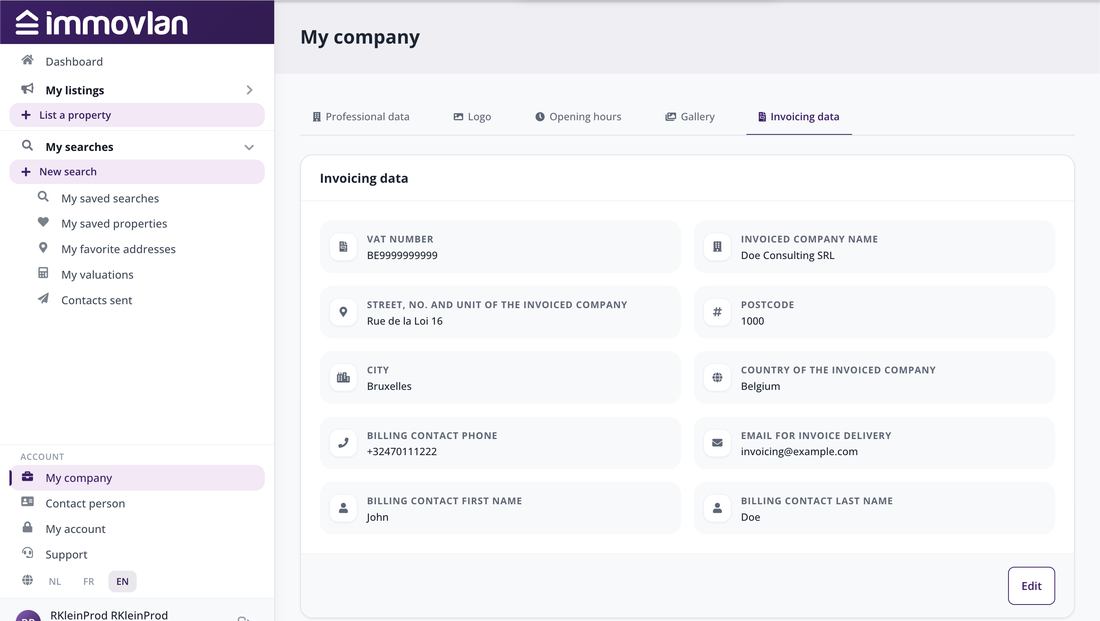
The "Invoicing data" tab of the "My company" page.
2. Change your details
Click "Edit", at the bottom of the tab. In the window that opens, adjust the necessary fields. For the address, choose "Same as company address" if the invoiced company is located at the same address as your agency, or "Enter different address" to enter it. Finish with "Save changes".
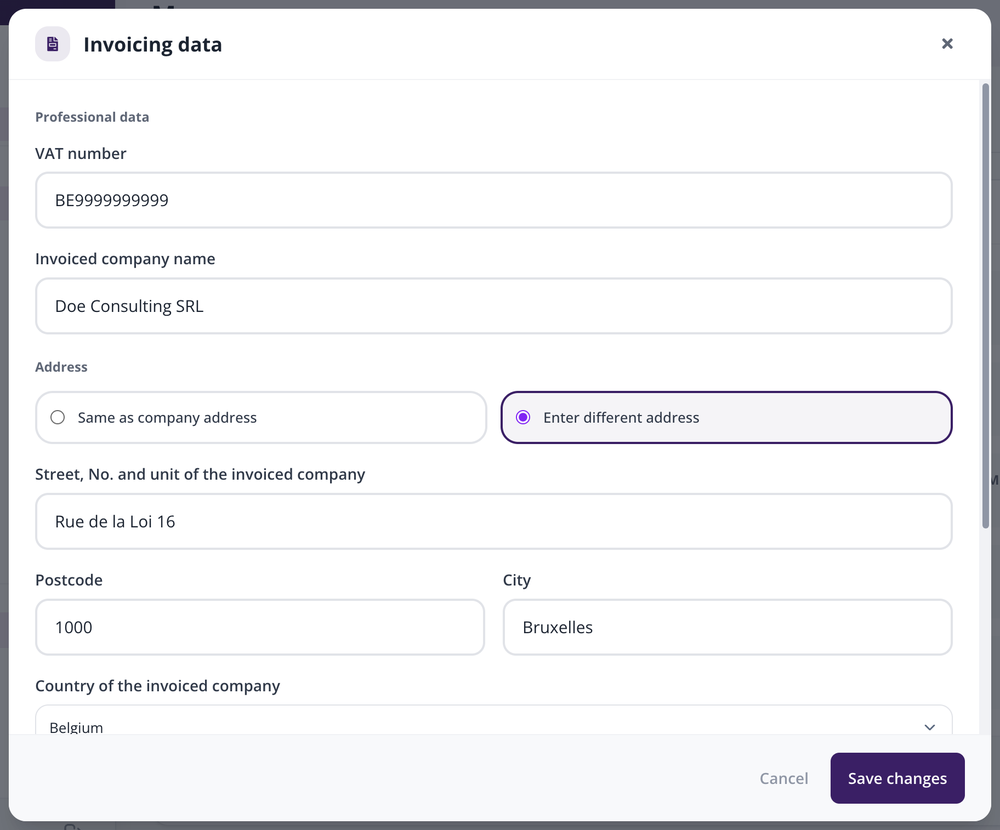
The window for editing the invoicing data.
Pay particular attention to the email for invoice delivery: this is where your monthly invoices are sent. Your invoices cannot be viewed in My Immovlan; for a copy, contact the professional support team.
3. Special case: invoicing through another company
If your agency is invoiced through another company (group, holding, parent company), the invoicing details are changed on the account of the invoiced company, not on your agency's. If in doubt, contact your Immovlan delegate or the support team.
| Good to know: these details are used for invoicing only. The contact details visible to visitors of your public page are changed in the "Professional data" tab. |