
You can change your password directly from your account: there is no need for the forgotten-password procedure as long as you can still log in.
1. Open the "Change my password" tab
Log in, click the account icon at the top right of the site, then "My Immovlan". In the left-hand menu, under ACCOUNT, open "My account" and then the "Change my password" tab.
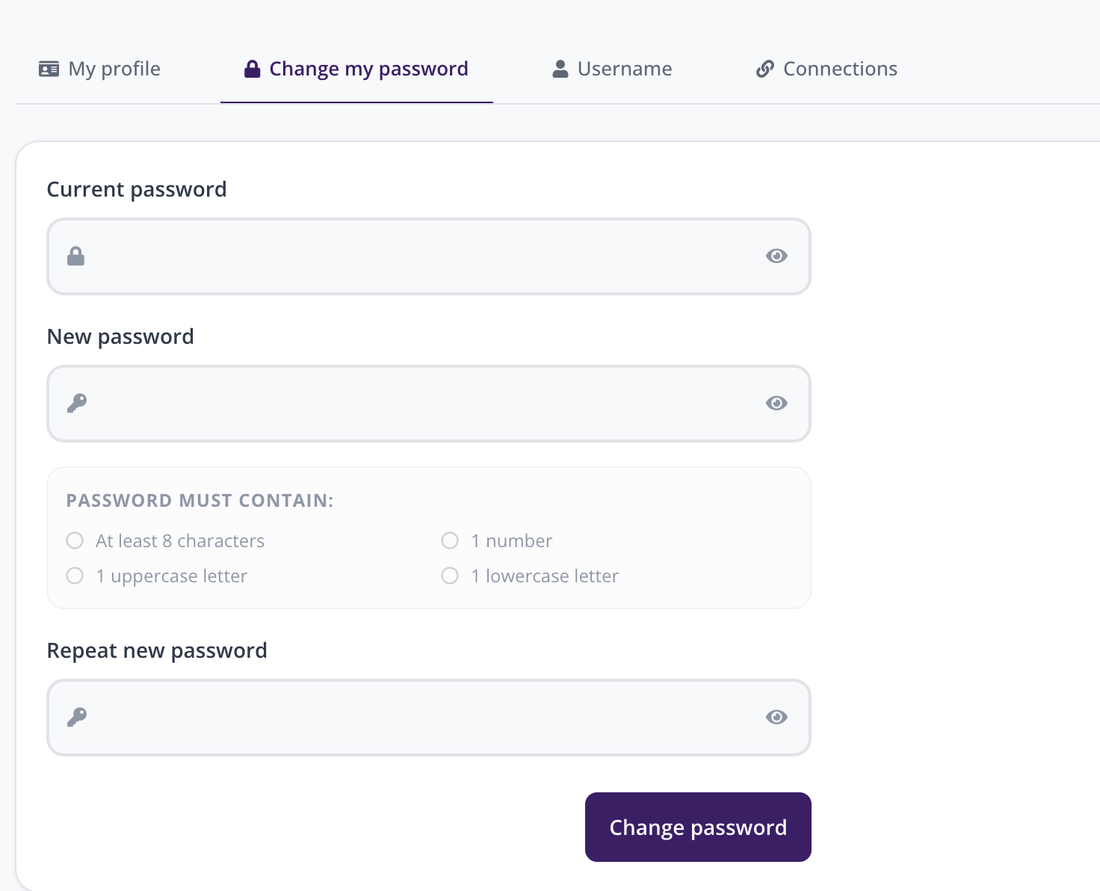
The "Change my password" tab, in "My account".
2. Fill in the three fields
Enter your "Current password", then your "New password", which you type a second time in "Repeat new password". The eye icon on the right of each field shows what you are typing, which helps avoid a typo. Confirm with the "Change password" button.
3. The rules to follow
The new password must contain:
- at least 8 characters;
- 1 number;
- 1 uppercase letter;
- 1 lowercase letter.
These four conditions are listed under the field, in the "PASSWORD MUST CONTAIN:" box.
4. Forgotten your password?
This screen will not help you, since it asks for your current password. On the login window, use the forgotten-password link instead: you will receive an email with a link that lets you choose a new one.
| Keep in mind: the "Current password" field is required. If you cannot remember it, do not look for it in your account — use the forgotten-password link on the login window. |