
If you want to leave Immovlan, you can delete your account yourself from your personal area. The process takes less than a minute, but it is permanent: take the time to read the following before you start it.
| Careful: deletion is immediate and irreversible. Your published listings, saved searches, saved properties and contact history disappear permanently. Recovery is not possible. |
1. Open the "Account" section of your dashboard
Log in, click your account icon at the top right of the site, then click "My Immovlan". You land on your Dashboard. Scroll to the bottom of the page: under the "My profile" banner is a second banner, "Account". Click it to expand it.
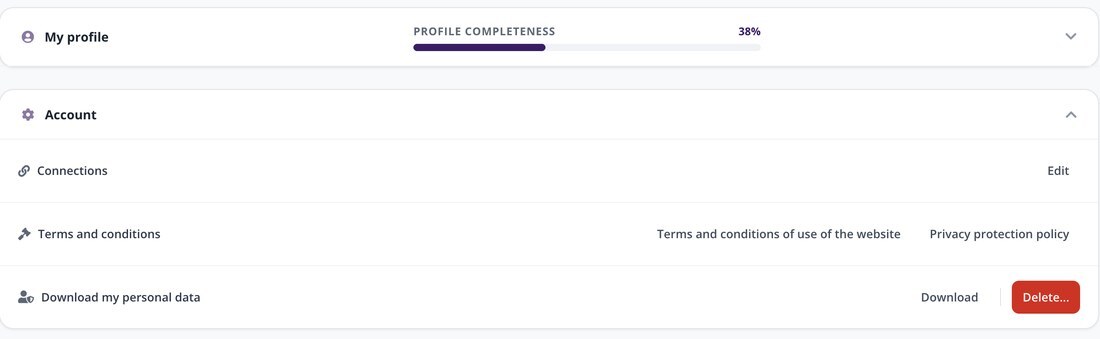
The "Account" section, expanded, at the bottom of the dashboard.
2. Click "Delete..."
The expanded section contains three lines. The last one, "Download my personal data", offers two buttons: "Download" and "Delete...". Click the red "Delete..." button.
| Tip: before deleting anything, click "Download". This gives you a copy of your personal data, which you will no longer be able to get once the account is deleted. |
3. Confirm the deletion
A confirmation window opens. It reminds you what you will lose and asks for double validation:
- Tick the box that begins with "I want to discard my Immovlan.be account…".
- Click "Delete account".
The "Cancel" button closes the window without deleting anything: until you click "Delete account", your account remains intact.
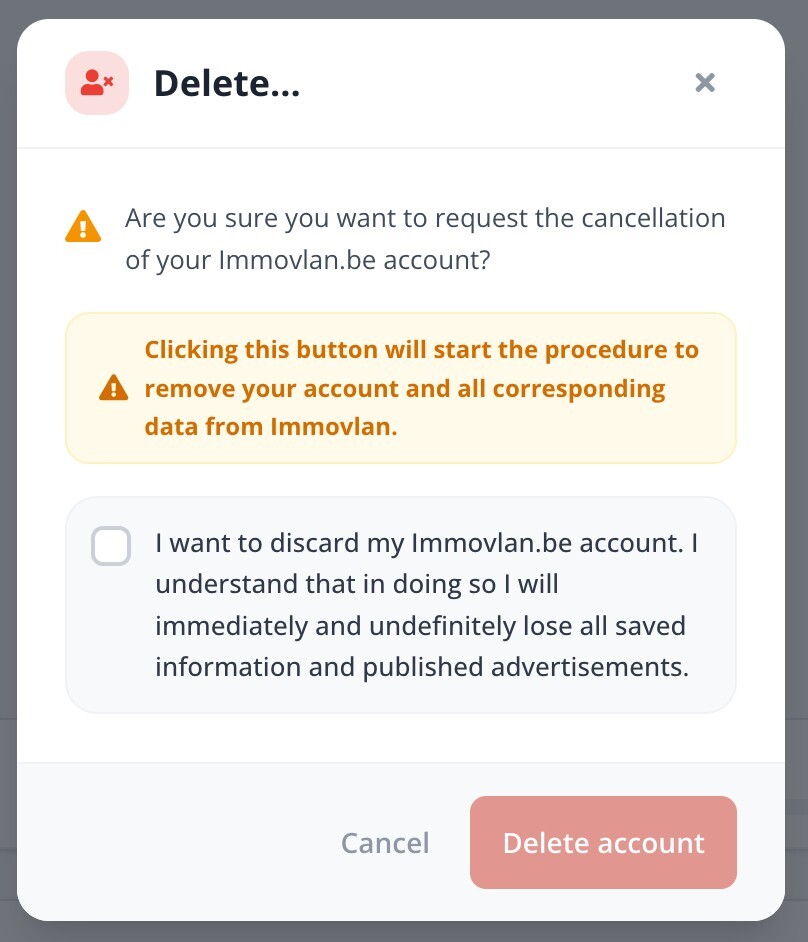
The confirmation window, with the mandatory checkbox.
| Good to know: if your goal is simply to stop receiving enquiries, you do not need to delete your account. You can set a listing to Not published from "My properties", or unsubscribe from newsletters in your dashboard. |