
The contact email address is the one that receives enquiries from potential buyers or tenants. You can change it at any time, even after your listing goes live, without going through all the publishing steps again.
1. Open the list of your properties
Log in, click on your account icon at the top right of the site, then click "My Immovlan". In the left-hand menu, under My listings, click "My properties".
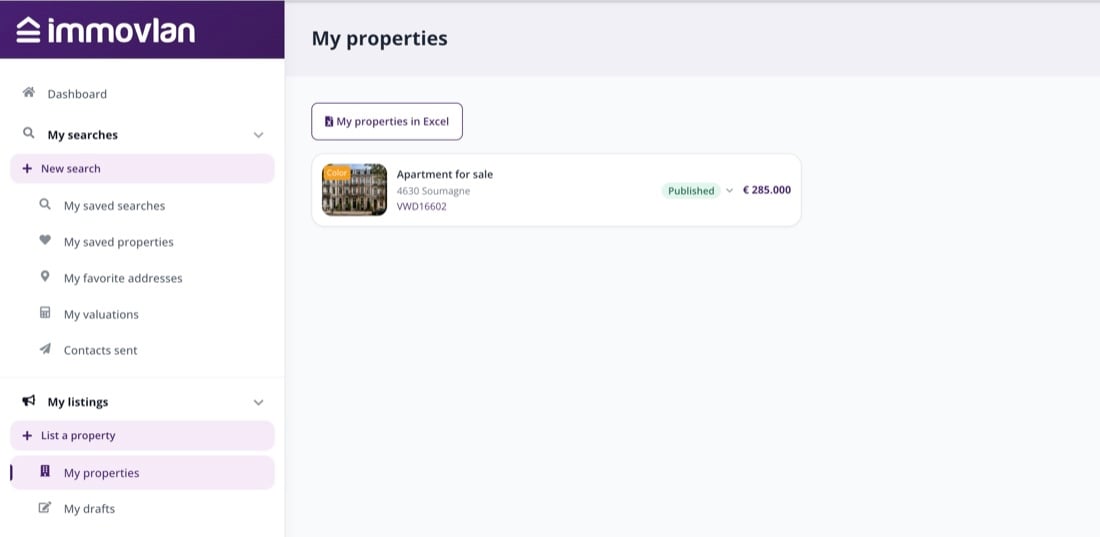
The list of your live listings, in your My Immovlan account.
2. Open the listing you want to change
Click on the listing in question to open its detailed page. Then click the "Update" button, and in the menu that opens, click the first "Update" line — the one above the "CHANGE STATUS" section.
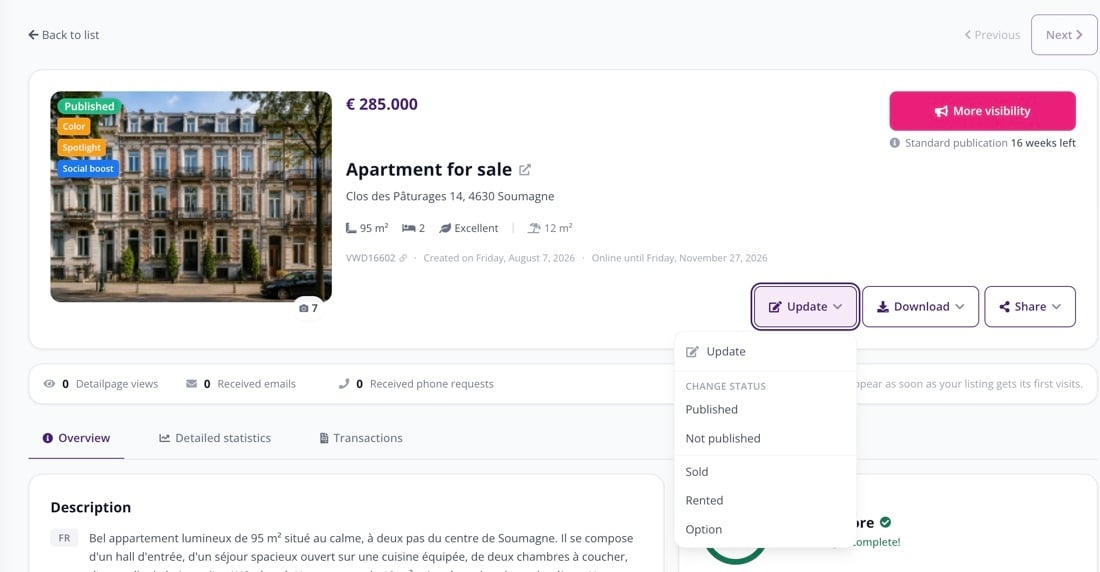
The "Update" button opens the listing's editing form.
| Careful: don't confuse this with the "CHANGE STATUS" section in the same menu (Published, Not published, Sold, Rented, Option). This changes the state of your listing, not its content. |
3. Replace the email address
The editing form opens. Scroll down to the contact block, right at the bottom: it contains the field "Your email address *". Delete the current address and enter the new one.
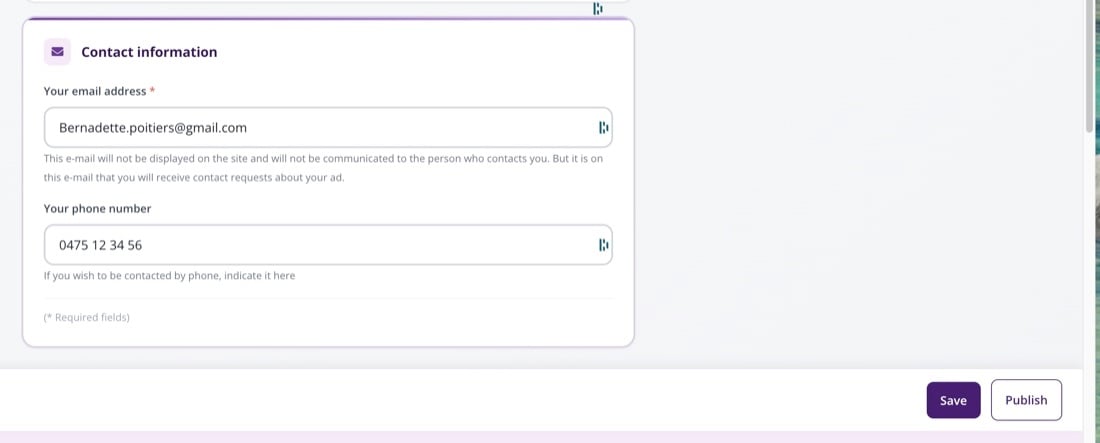
The "Your email address" field, followed by the "Save" and "Publish" buttons.
4. Save, then publish
Two buttons are located at the bottom of the screen:
- First, click "Save". The message "Draft saved." confirms your change has been kept.
- Then click "Publish". A "Ready to publish?" window summarises your listing: confirm by clicking "Publish" again.
Until you confirm publication, your live listing continues to use the old address.
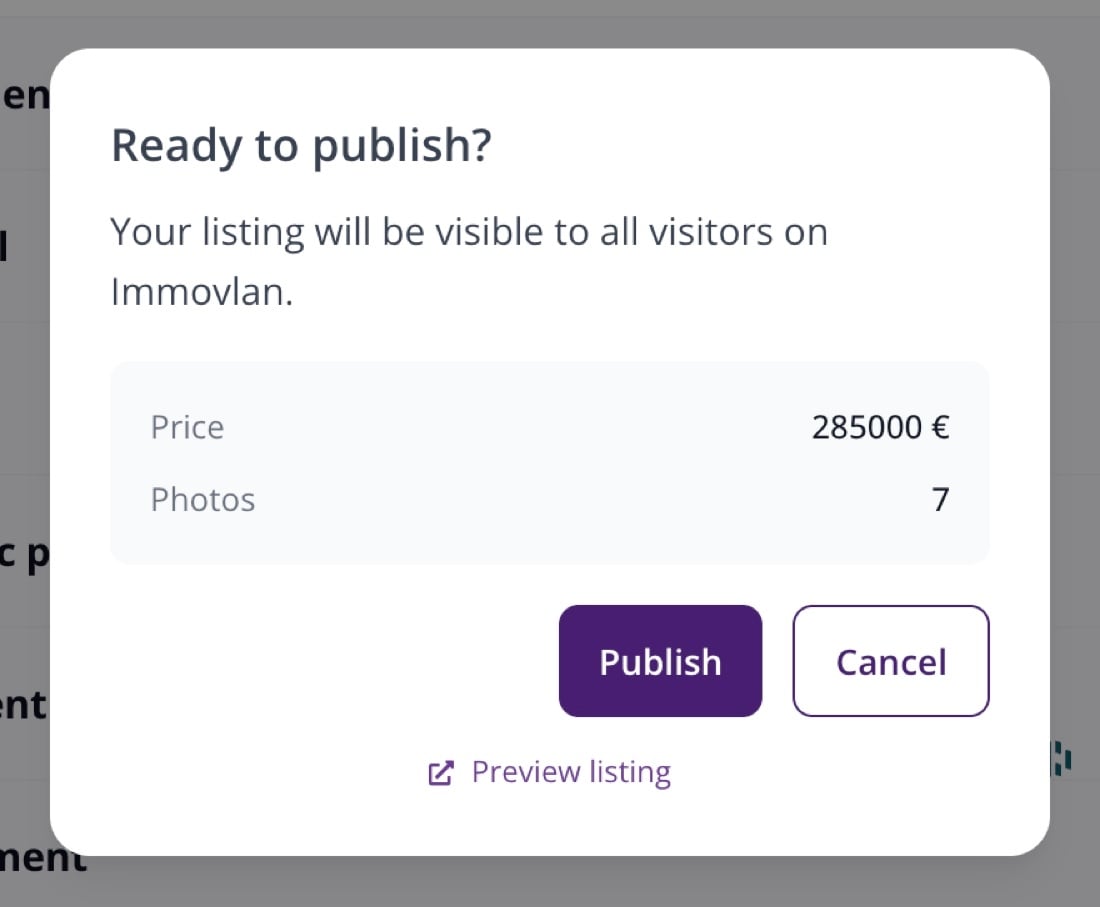
The confirmation window before the live listing is updated.
| Good to know: updating a listing you've already paid for costs nothing and doesn't trigger any new payment. The publication period and package you chose stay the same. |
| Tip: this address is never shown on the site and is not given to people who contact you. It's only used to forward you enquiries about your listing. The same form lets you change the "Your phone number" field and every other detail of your listing. |