
Your property plans are evolving? No need to start over: the criteria, name and frequency of each alert can be adjusted at any time from your account.
1. Open "My saved searches"
Log in, then click your initials at the top right of the site and choose "My Immovlan". In the left-hand menu, under "My searches", open "My saved searches": each of your alerts appears there with its name, its main criteria, the total number of properties and the new properties of the last 3 days.
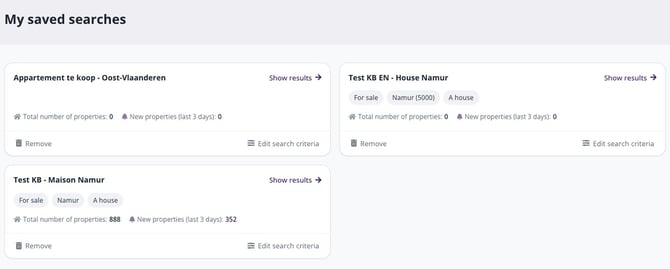
The "My saved searches" section of My Immovlan, with one card per alert.
You can also get there from a received alert email: each one ends with an "edit your email alert" link.
2. Edit the criteria
On the relevant alert's card, click "Edit search criteria". A window shows all the alert's criteria: location, price, bedrooms, property type, transaction type and all the additional options. Adjust whatever you like; the number of results shown at the bottom of the window updates immediately. Then click "Next".
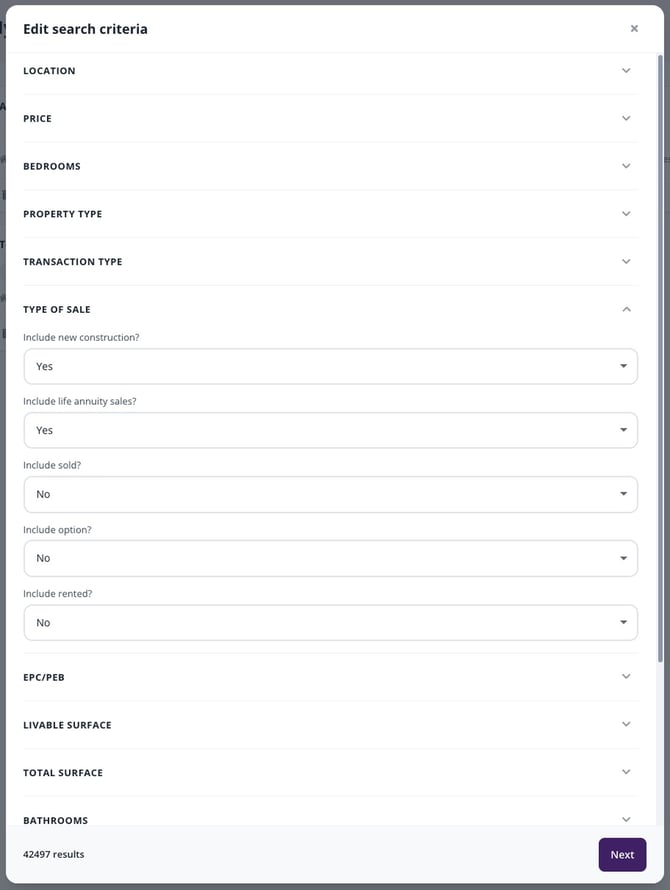
The edit window: every criterion can be adjusted, and the results counter follows your choices.
3. Adjust the name and frequency, then save
A second screen, "A preview of your results", shows the number of results and a sample of the listings matching your new criteria. This is also where you can:
- rename the alert via the "Name of your search" field;
- change the frequency under "How do you want to be notified?", by ticking or unticking "Receive once a day", "Receive it in real time" and "Receive notifications via the mobile app".
If everything looks right, click "Save"; otherwise, go back to the criteria with "Go back". Your next alert emails will reflect these changes.
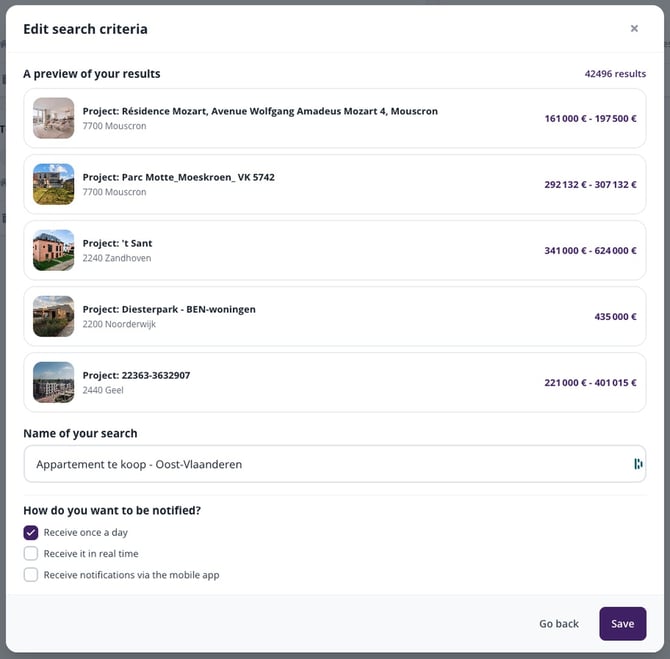
The second screen: results preview, search name and notification frequency.
| Remember: you can edit an alert's criteria, name and frequency, but not its receiving email address. To receive an alert at another address, delete it and create it again — see "How do I delete an email alert?" and "How do I create an email alert?". |
This article is part of the How do email alerts work on Immovlan? series, which explains how to create, edit and delete an alert.