
1. When you create your account
This is the quickest way. On the « Sign up » form, simply tick the « Subscribe to our newsletter » box before you confirm your registration.
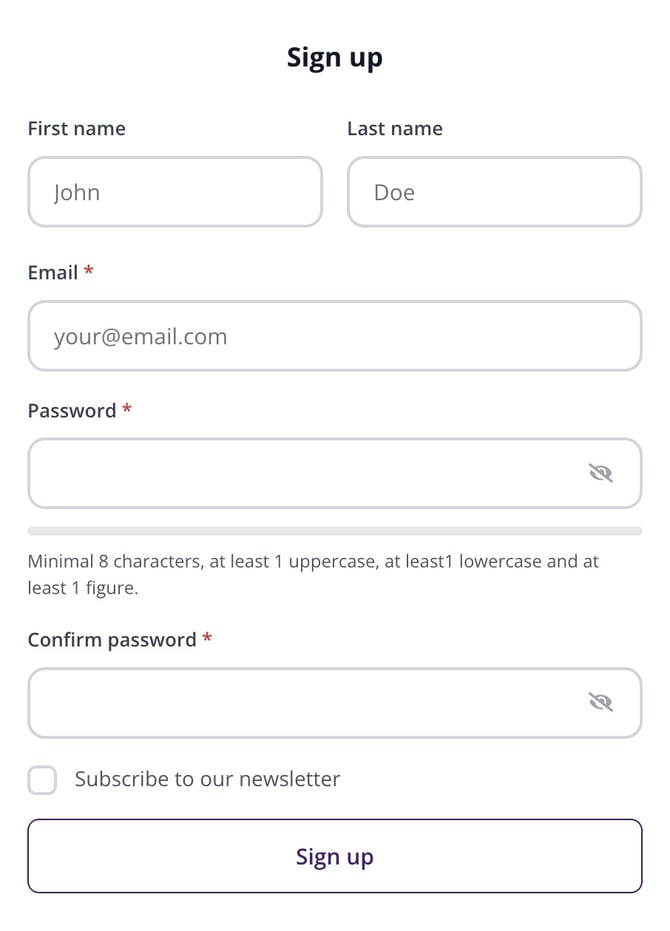
The « Subscribe to our newsletter » box, on the account creation form.
| Good to know: already have an account and didn't tick this box? No problem: the following method works at any time. |
| Please note: on the French and Dutch versions of the site, you can also subscribe straight from a « Weekly newsletter » block at the bottom of the homepage, without an account. That block is not available on the English version of the site yet. |
2. From your dashboard
If you have an account, log in, click the account icon at the top right of the site, then click « My Immovlan ». You arrive on your Dashboard. The « Newsletters » card is in the right-hand column.
Until you subscribe, this card shows « Not subscribed ». Enter your « Zip code », then click « Subscribe to the Immovlan newsletter ». The label immediately changes to « Subscribed ».
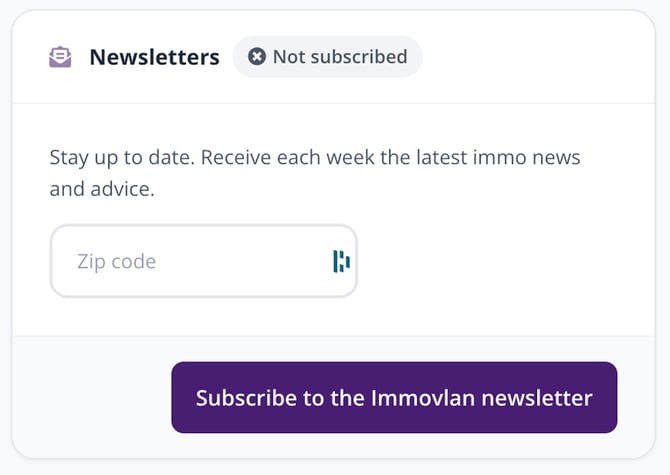
The « Newsletters » card in the dashboard, before subscribing.
3. Choose the topics you're interested in
Once you've subscribed, the « Newsletters » card shows a « Manage your subscriptions » button. It opens the « Your subscriptions » page, where you decide exactly what you receive:
- « Preferred language » and « Zip code »: the language of your emails and the region you're interested in.
- « News and advice »: the weekly Immovlan newsletter. « Advice and partner information »: messages from our partners.
- « Interests »: seven topics you can tick freely — Invest, Energy, Finance, Renovation, Vacation, Technology and DIY. The « Select all » link ticks them all at once.
Always finish with the « Update » button: without it, your choices aren't saved.
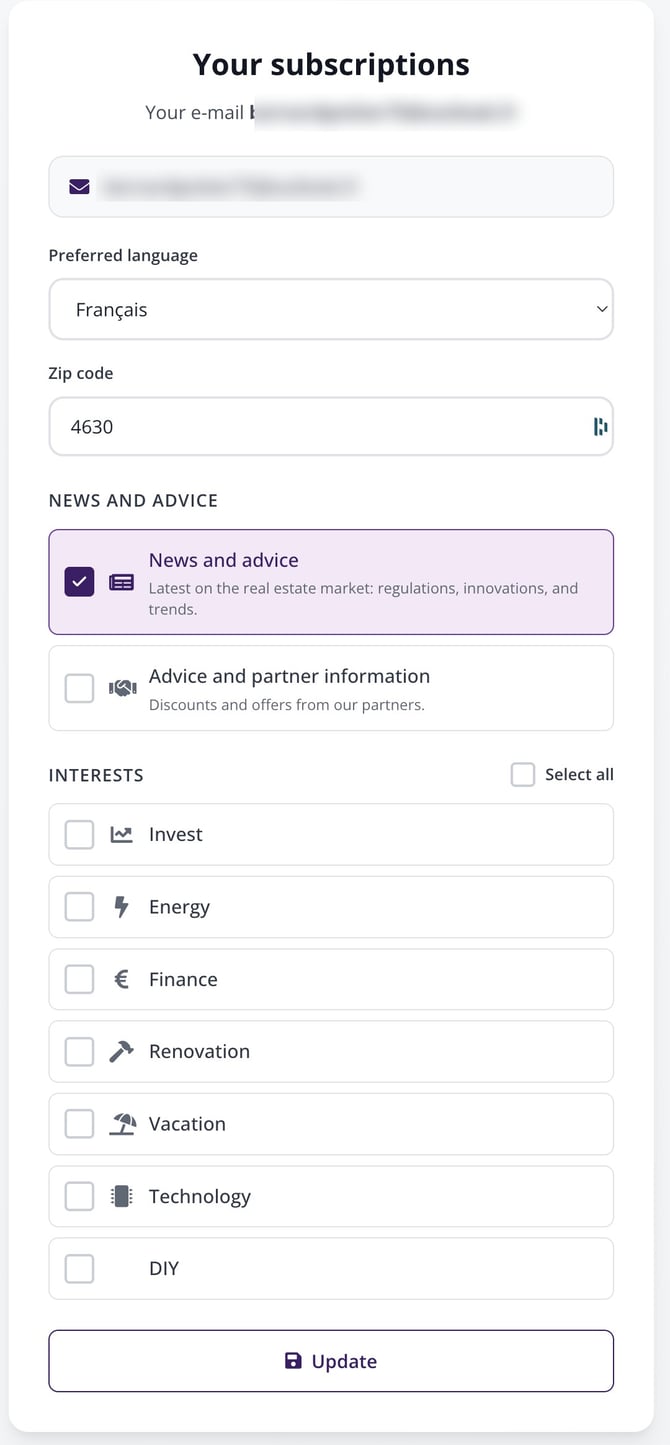
The « Your subscriptions » page: language, zip code, categories and interests.
| Tip: only tick the topics that genuinely interest you. You'll receive fewer emails, but better targeted ones — and you can always add more later from this same page. |
In summary
| Where? | What you do |
| When you create your account | You tick « Subscribe to our newsletter ». |
| In your dashboard | « Newsletters » card: zip code, then « Subscribe to the Immovlan newsletter ». |
| To fine-tune your topics | « Newsletters » card → « Manage your subscriptions » → « Update ». |
| Remember: you're always free to stop whenever you want. The « Your subscriptions » page works both to subscribe and unsubscribe: simply untick what you no longer want to receive. |