
To view the statistics of your listings, log in to your MyImmovlan account.
Need help logging in? Check this page.
Access general statistics
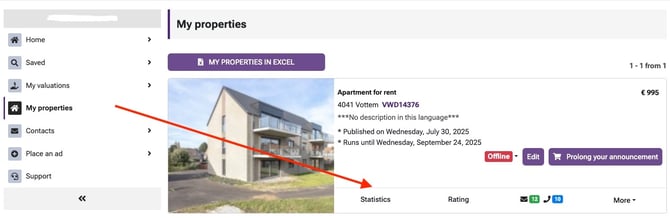
Log in to your MyImmovlan, go to the “My Properties” menu (in the left-hand sidebar).
Then click on the “Statistics” button below the listing you want to analyse.
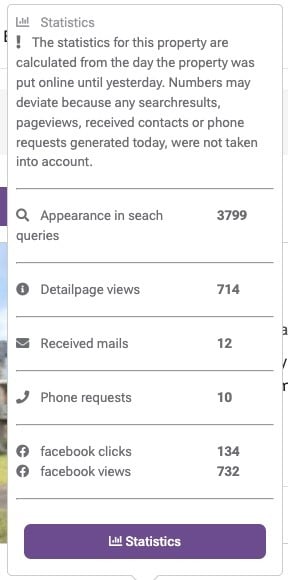
By clicking the purple ‘Statistics’ button, you will see the following graphs:
-
Number of views in the results list
-
Number of views on the detail page
-
Number of emails received
-
Number of phone requests
-
Facebook clicks and Facebook
-
Filter by period & export your data
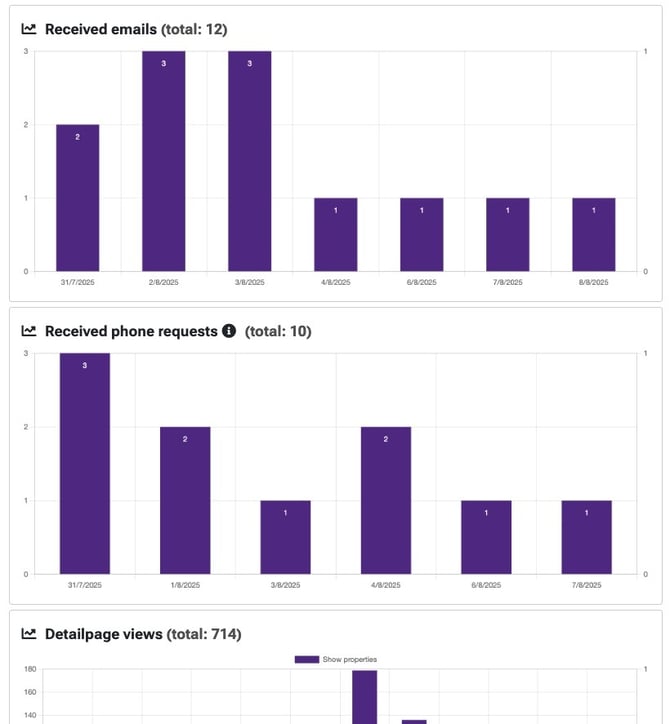
You can:
-
Print the graphs
-
Or download an Excel file containing all statistics
This allows you to easily monitor how each of your published listings is performing over time.