
A published listing can be edited at any time. There is nothing to recreate: it all happens from your property card, in your personal area.
1. Open your property card
Log in, click the account icon then "My Immovlan". In the left-hand menu, under My listings, open "My properties" and click the card of the listing concerned.
2. The "Update" button
At the top right of the card, the "Update" button opens a menu that holds two different things:
- an "Update" link, which opens the edit form;
- the "Change status" section, which sets the listing to published, not published, sold, rented or option.
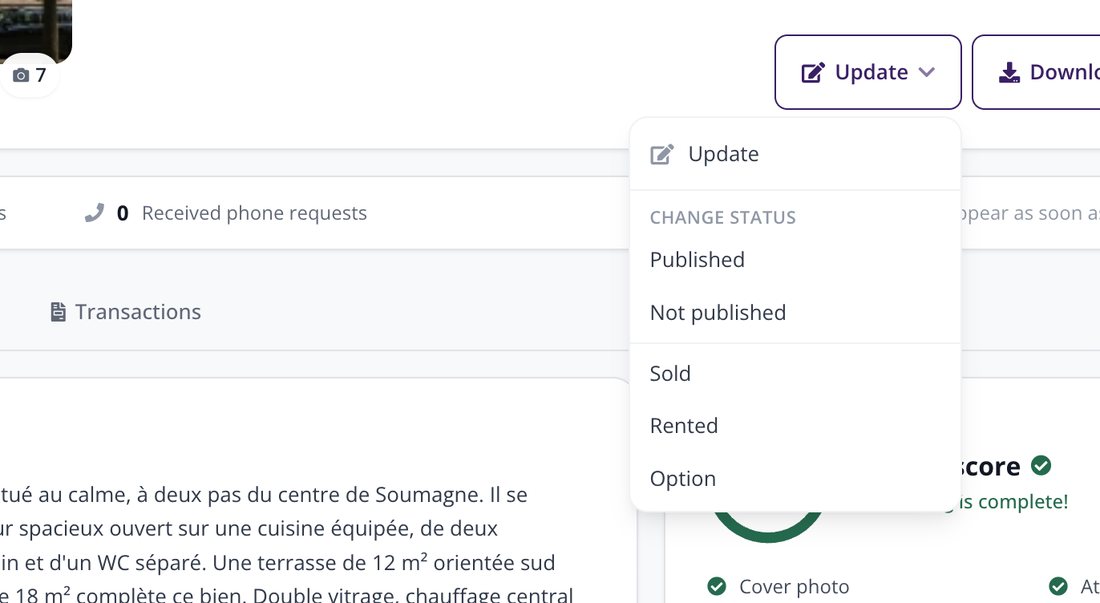
The "Update" menu: the top link edits the content, the section below changes the status.
| Careful: the button and the first link in the menu share the same name. To edit the content of your listing, choose the "Update" link, not a status. |
3. The edit form
The form opens as a single page, organised into collapsed sections. The "Expand all" link, at the top right, opens them all at once.
The upper part repeats the property type, the price and the address, with the "Hide the address from visitors" option. Then comes the description, editable in the three languages of the site: the Dutch, French and English tabs are independent, and a character counter guides you.
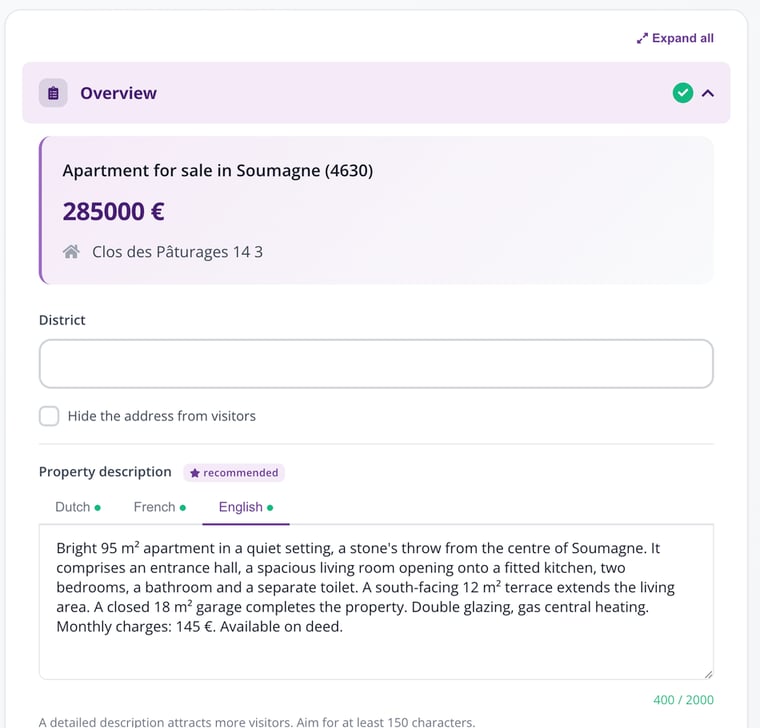
The top of the form: the property overview, then the description and its three language tabs.
Further down, each section carries a green tick once it is complete. You only need to open one: changing the price does not force you to go through the photos again.
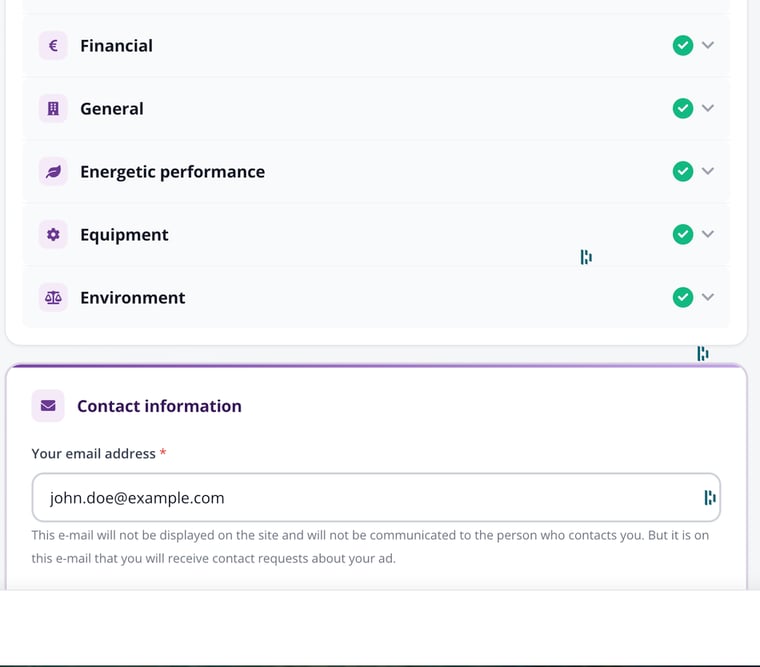
The collapsed sections of the form, with their validation ticks.
4. Save or publish
Two buttons wait at the bottom right:
- "Save" keeps your changes without publishing them: your live listing does not change yet.
- "Publish" puts the new version online.
| Good to know: republishing a listing you have already paid for triggers no new payment. The package and the publication period stay the ones you chose at the start. |