
Every paid publication leaves a trace in your personal area. That is where you request an invoice or collect your order receipt — the request no longer starts from your property card.
1. Open "My transactions"
Log in, click the account icon then "My Immovlan". In the left-hand menu, under My listings, open "My transactions".
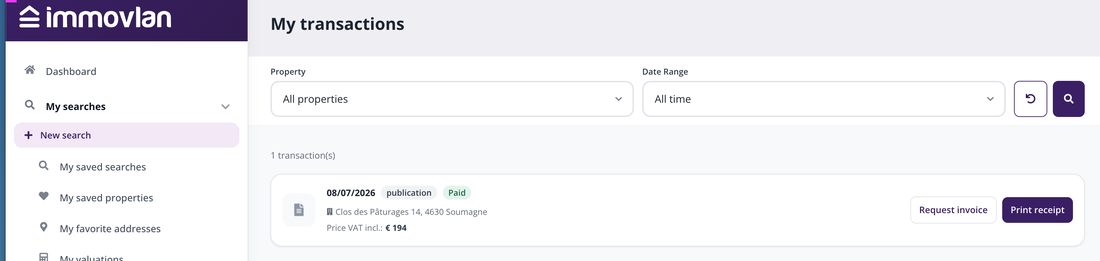
The "My transactions" page, in "My Immovlan".
2. Find the right transaction
Each line shows the date, the order type, its status — "Paid" —, the address of the property and the "Price VAT incl.". Two menus above the list help you filter: "Property", which narrows the view to a single listing, and "Date Range".
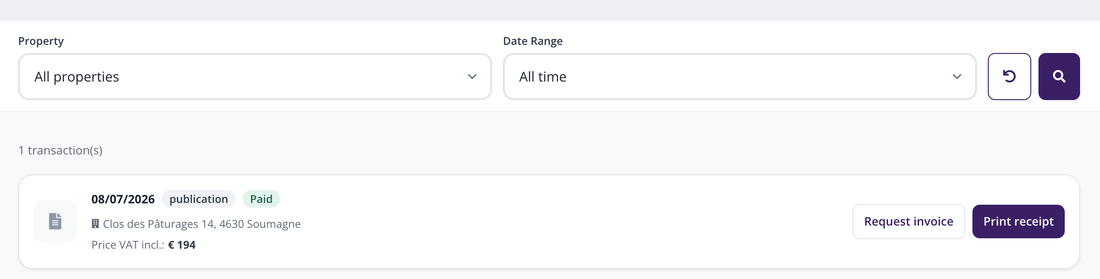
A transaction, with its two buttons on the right.
3. Request an invoice
Click "Request invoice". A window opens, repeating at the top the order type, the property VlanCode, the publication start date and the price VAT included.
Then fill in your professional data — email, firstname, name, office name, phone — and your VAT number. If you do not have one, tick "I don't have a VAT number". Finally enter your billing address (street and city) and confirm with "Request invoice".
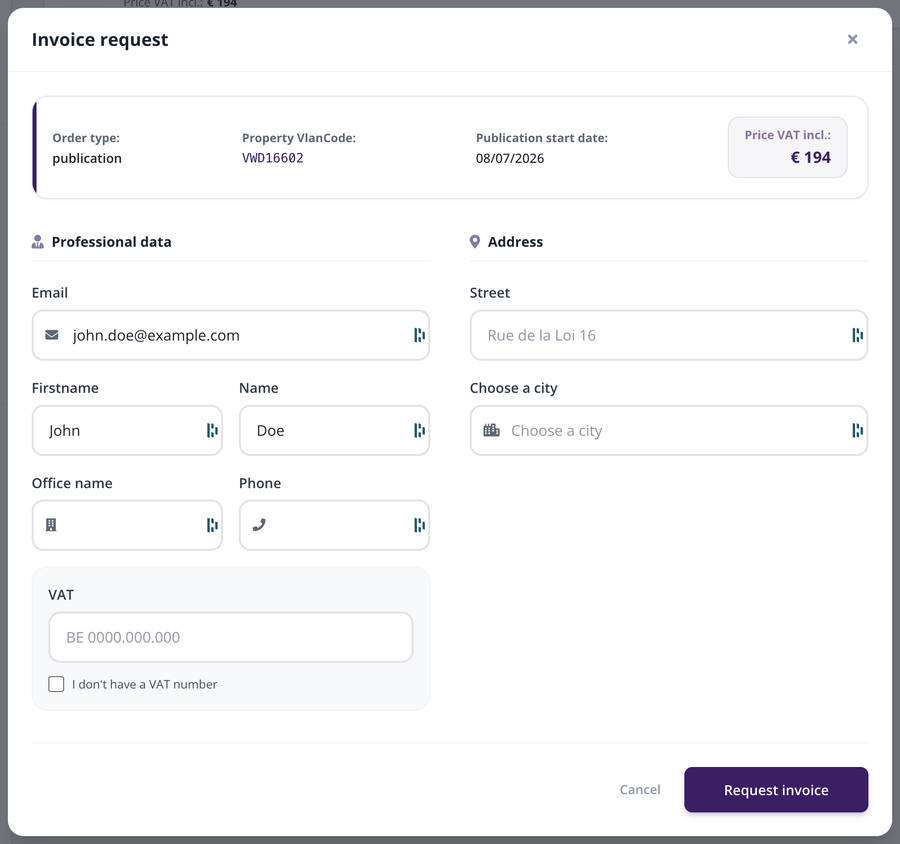
The invoice request window.
4. Print a receipt
The "Print receipt" button, next to the previous one, gives you the receipt for your order. That is the document to keep if you do not need a formal invoice.
| Good to know: if the page shows "No transactions yet", no paid publication is linked to your account yet — your order receipts appear there as soon as you publish a property. |