
|
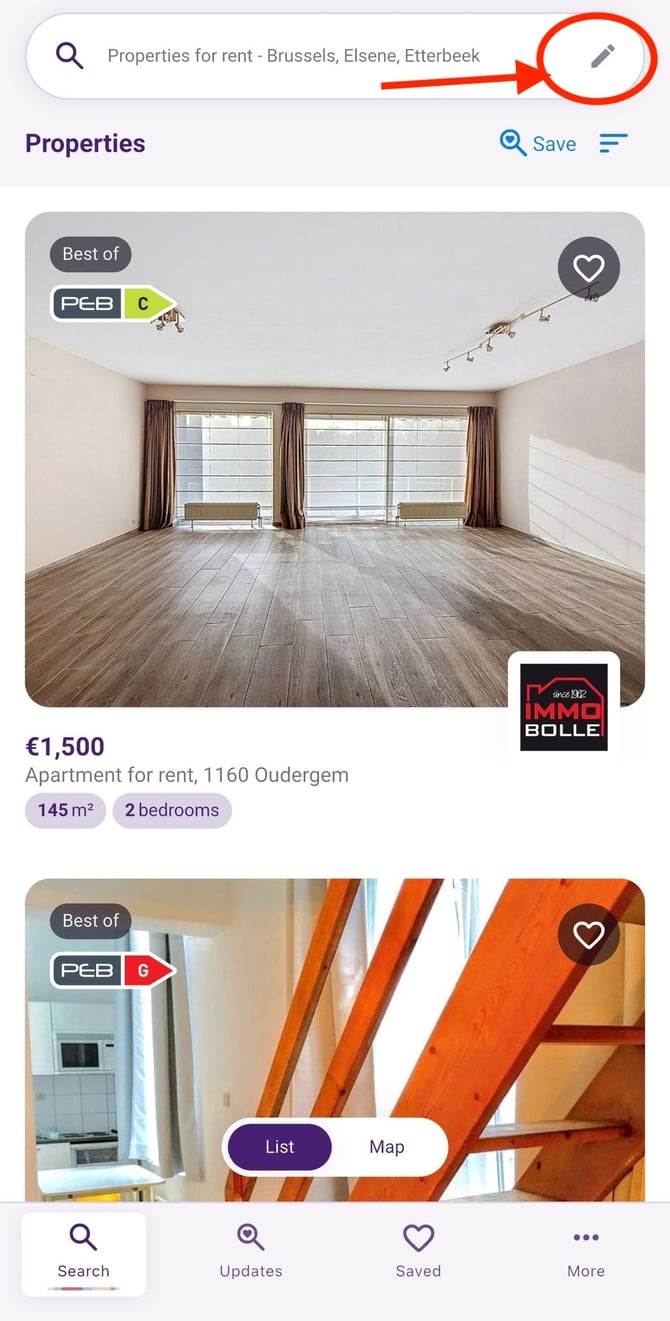
1. Adjust your search criteria Tap the pencil icon in the search bar to select or modify your filters (location, price, property type, etc.) |
 |
|
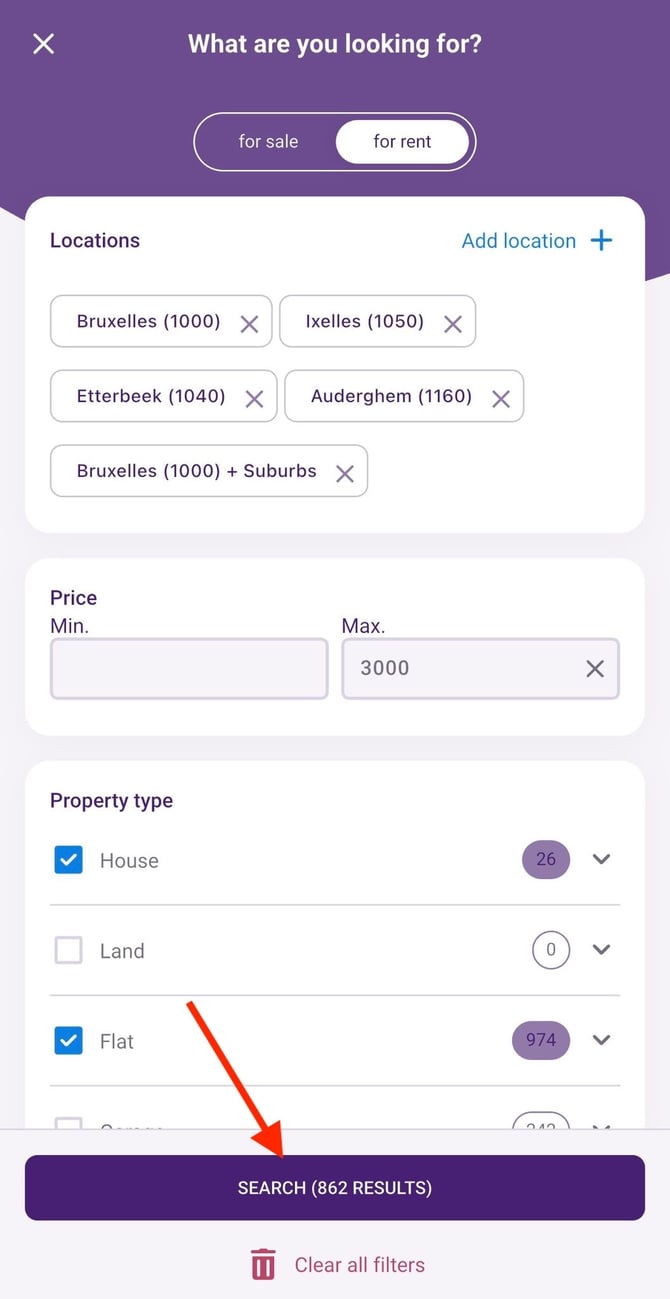
2. Start the search Once your criteria are set, tap the “Search” button at the bottom of the screen. |
 |
|
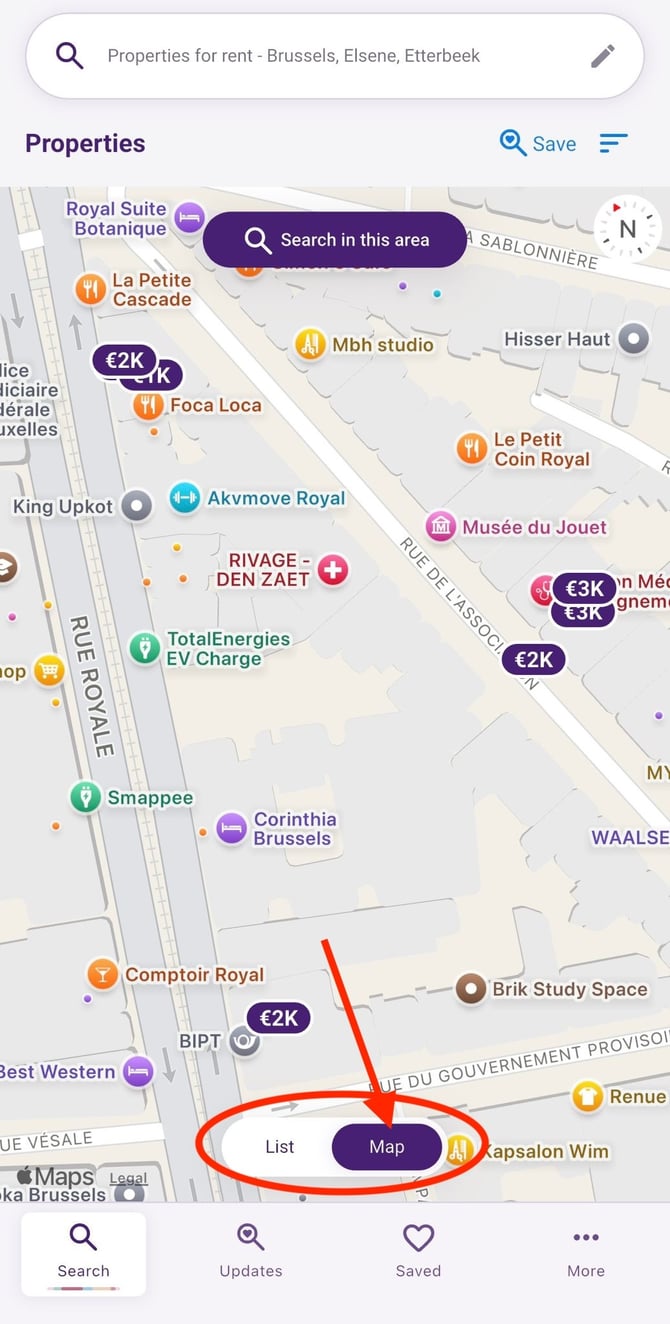
3. Open the map view Then tap the “Map” tab at the bottom of the screen. |
 |
|
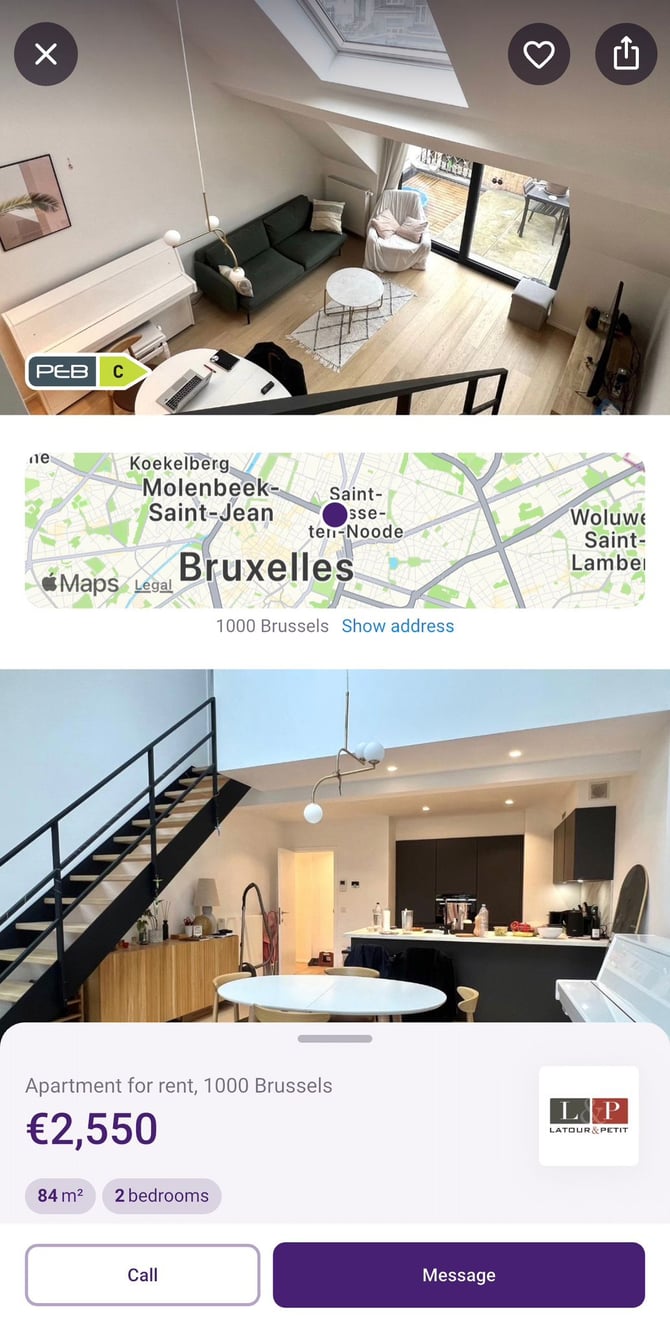
4. View a listing Tap on a price to open a preview of the property. |
 |