
1. Open "Contact person"
In your My Immovlan account, in the Account section of the left-hand menu, click "Contact person". The first block, "Where we send your leads", shows where Immovlan forwards the requests from house-hunters and the seller leads:
- Main inbox: the address that receives the contact requests sent from your listings;
- Extra inbox (optional): a second address that receives the same requests;
- Fallback phone: the number shown when a listing does not contain its own number;
- Seller-lead inbox (optional): the address to which the requests of owners who want to entrust you with the sale or rental of their property are sent.
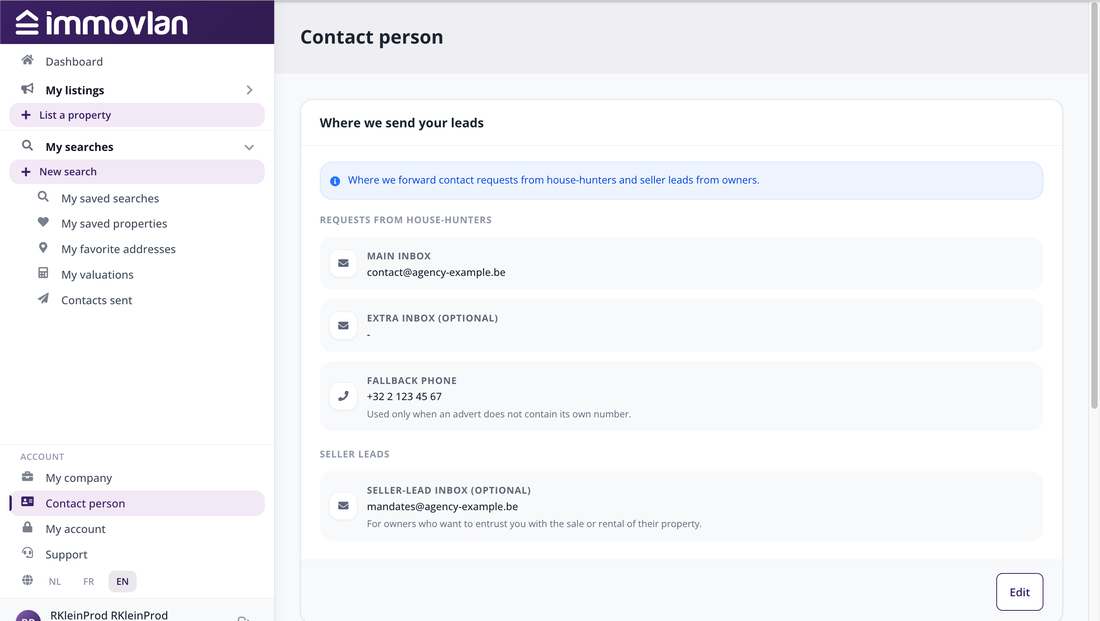
The "Contact person" page, "Where we send your leads" block.
2. Change your addresses
Click "Edit". In the window, replace the addresses or the number concerned — the main inbox and the fallback phone are required — then click "Save changes". The next requests go to the new addresses immediately.
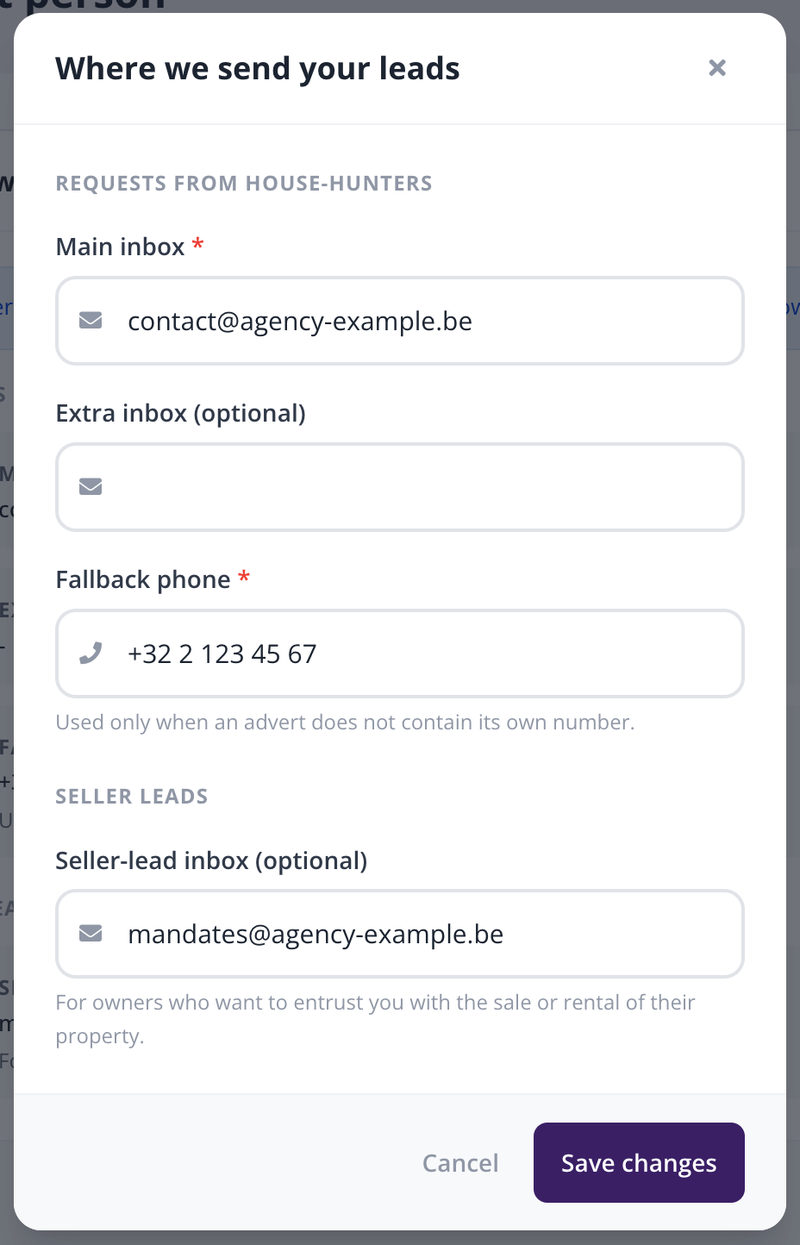
The window for editing the addresses that receive your leads.
3. Your contact for Immovlan
The second block of the page, "Your contact for Immovlan", designates the person in your agency our teams contact about your account (name, email, phone, mobile). It is not shown to house-hunters. Click "Edit contact" to change it.
| Good to know: the fallback phone does not replace the number entered in a listing: it is used only when the listing has none. And if requests seem to be missing, check your spam folder first. |