
1. The criteria column
Next to the property list, a column groups the most commonly used criteria by theme: Transaction type, Location, Property type, Bedrooms, Price, Amenities (garden, terrace, garage, swimming pool, furnished), EPC/PEB, and Available only. Tick a box and the list updates straight away, with nothing to confirm.
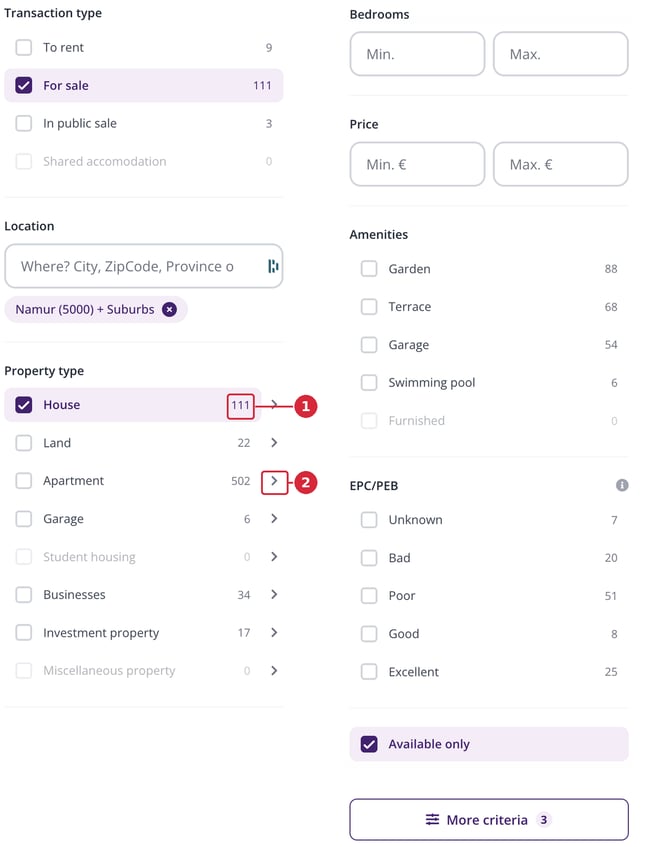
The criteria column, shown here in two parts side by side: ① the number of matching properties, ② the « › » sign that opens the sub-types.
2. The numbers next to each criterion
The number shown to the right of each option tells you how many properties you'll get if you tick that option, taking all your other criteria into account. These numbers recalculate with every change, showing you the effect of a criterion before you even pick it. An option followed by a 0 doesn't match any property, so there's no point ticking it.
3. The « › » sign: property sub-types
Each property type covers several sub-types. The « › » sign to the right of a type opens a window where you can pick exactly what interests you. For example, « House » breaks down into Residence, Villa, Bungalow, Chalet, Cottage, Master house, Mansion, and Mixed building, each with its own number of matching properties. Tick the ones you want and confirm with the « Show … property/properties » button.
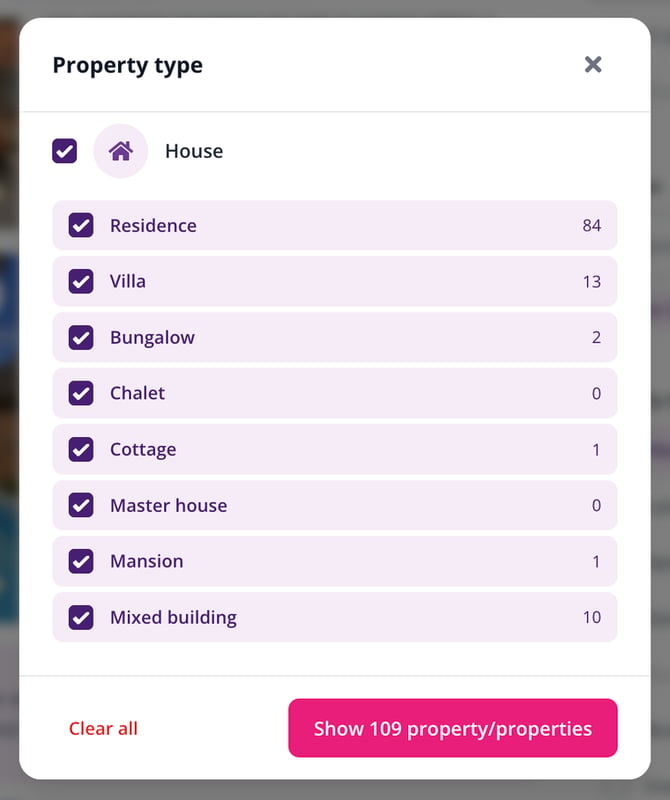
The sub-types window, opened via the « › » sign next to the property type.
4. Ranges: « Min. » and « Max. »
The Bedrooms and Price criteria are set with two fields, « Min. » and « Max. ». You can fill in just one of them: enter only a maximum to cap your budget, or only a minimum to require a certain number of bedrooms.
5. The « More criteria » button
At the bottom of the column, the « More criteria » button opens the full set of filters. The number next to it shows how many criteria are currently active in your search. The window is divided into sections you expand with a click on their title:
- Type of sale: whether to include new-build properties, life annuity sales, and properties that are sold, under option, or rented (Yes / No / Only);
- Livable surface, Total surface, and Bathrooms: Min. / Max. ranges;
- Construction type (2, 3, or 4 facades), Property condition, and Provider (private individuals or professionals);
- More options: a long list organised by theme — outdoor, energy, comfort, connectivity, security, parking, listing media, and rental terms.
The « Show … property/properties » button applies your choices; « Clear all » cancels them.
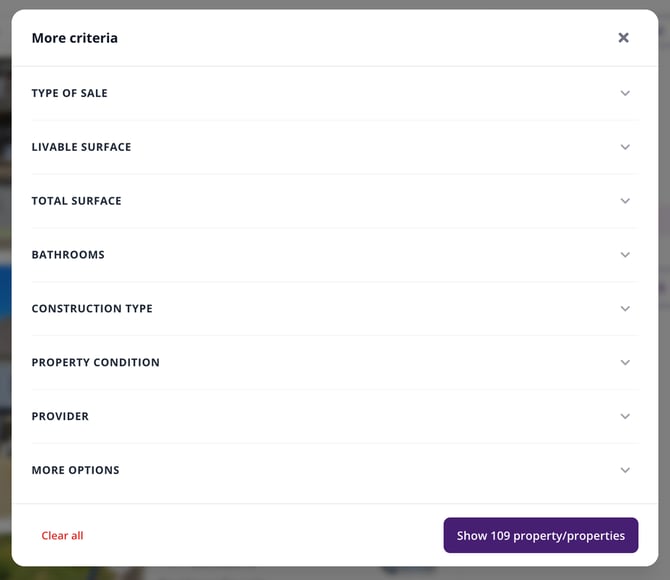
The « More criteria » window and its expandable sections.
| Tip: the « Criteria » button, above the property list, opens the same window with every criterion, including those in the column. It's the handiest route on a small screen. |
Good to know
- The « New search » link clears every criterion and starts you off fresh.
- The « Tips » button flags the criteria you still haven't set and suggests values suited to your search: How do I refine my search with « Tips »?
- The « Keep me posted! » button emails you as soon as a new property matches these criteria.
This article is part of the How do I search for a property on Immovlan.be? series, which presents the four ways to search for a property.