
1. Access the estimation tool
From the site's main menu, click « Estimate », then click the « Estimate my property for free » button.
2. Enter your property's address
Enter the city (or postal code), the street and the number; the box or floor is optional. The more precise the address, the more reliable the estimate — prices can vary from one street to another.
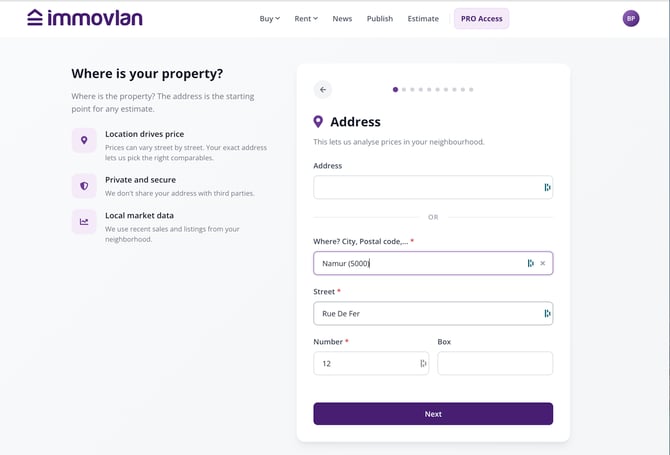
Type in the city, then select it from the list before adding the street and number.
3. Choose your property type
Select House or Apartment, then specify the subtype: for a house, detached, semi-detached, terraced (corner or not), or farmhouse; for an apartment, standard, duplex, attic, penthouse, with terrace, or studio.
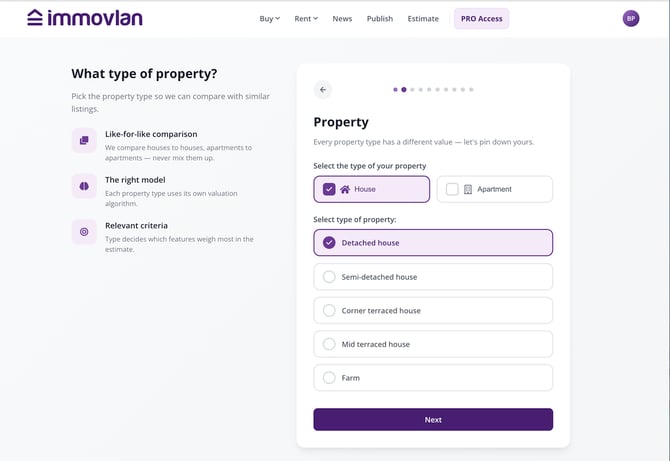
The property type determines the estimation algorithm used and the features asked about next.
4. Describe your property's features
Enter the year of construction, the living area, the land area, the number of bedrooms, and the number of bathrooms.
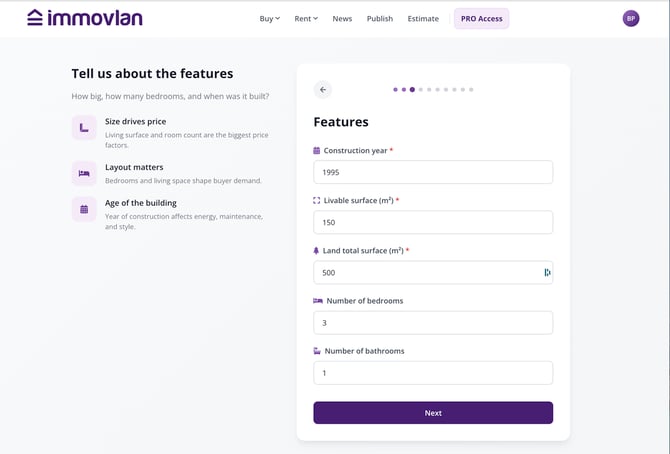
This information is used to compare your property with similar properties recently sold in your area.
5. Specify the energy performance (PEB)
Choose the energy class shown on your property's PEB certificate.
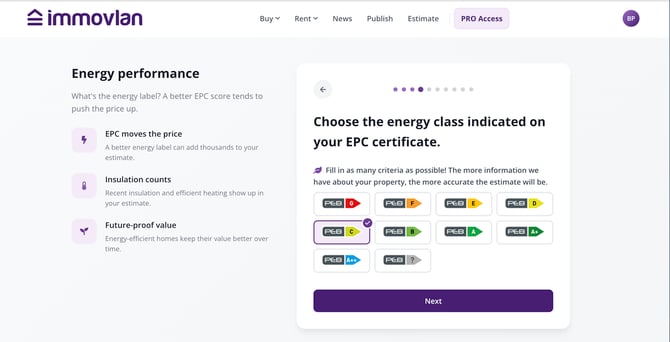
A better energy label can add several thousand euros to the estimate.
6. Indicate the amenities
Check the amenities your property has: new build, sauna, outdoor pool, garage or carport, terrace…
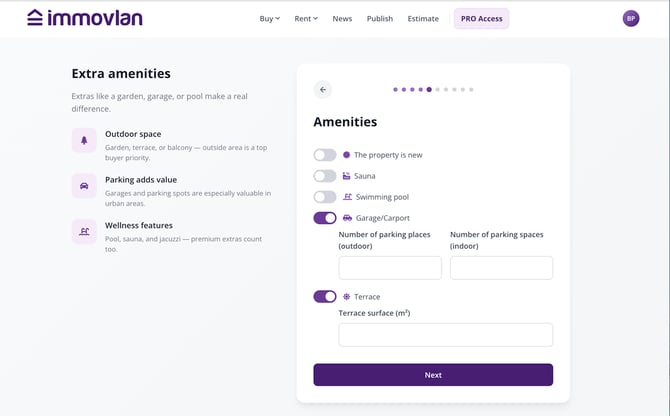
Garden, garage, and pool are among the amenities that most influence the price.
| Tip: fill in as many criteria as possible at each step. The more precise the information about your property, the more reliable the estimate. |
7. Indicate the condition and quality of your property
For the bathrooms, kitchen, floors, windows, and masonry, specify both the general condition (needs renovation, well maintained, or new/recently renovated) and the quality level (basic, standard, high quality, or luxury).
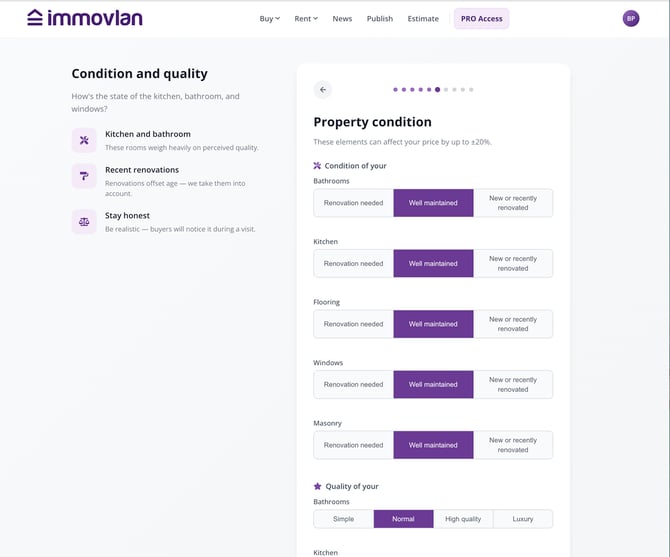
These factors can affect the estimate by up to ±20%.
8. Provide your contact details
Enter your first name, last name, email address, and phone number to receive your estimate by email.
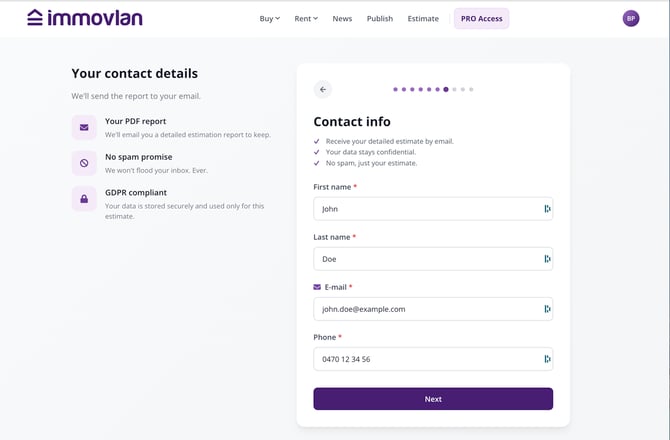
Your contact details are only used to send you your estimation report.
| Keep in mind: a free Immovlan account is required to receive your full report. If you don't have one yet, it's created automatically at the last step, using the email address you provided. |
9. Specify your property project
Indicate whether you own the property, then the reason for your estimation request: for sale or for rent, already listed or a future project. If you wish, you can be put in touch with a professional in your area for a second opinion.
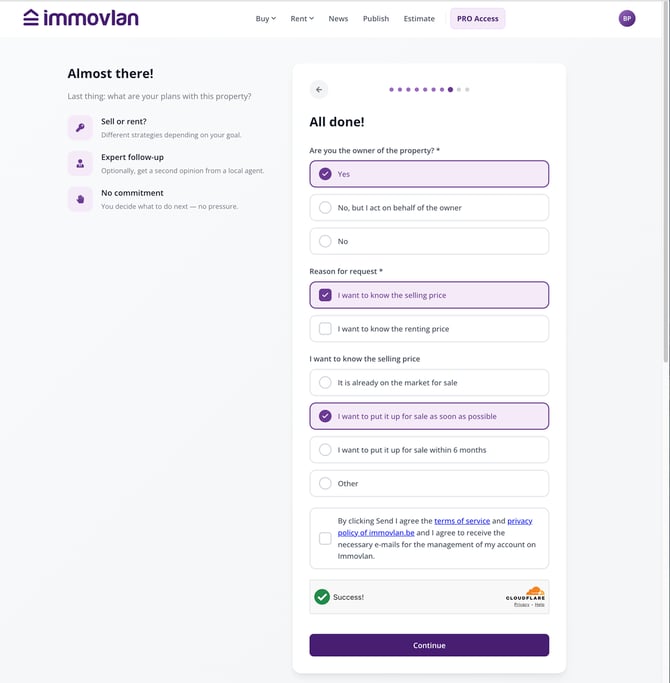
Last step before you get your estimate.
10. Get your estimate
You immediately receive an indicative estimate, shown as a range between a low value and a high value. It's calculated automatically based on your property's features, local market trends, and similar properties sold recently.
The estimate is displayed as a price range.
11. Good to know
- You get 1 free estimate if your Immovlan account isn't confirmed yet, and 2 free estimates once your account is confirmed; beyond that, the service becomes paid: a subscription of €15 per year gives you a report updated every quarter, so 4 reports a year.
| Would you like a more precise estimate? You can ask to be contacted by a professional real estate agent partnering with Immovlan: this introduction, like the agent's estimate, is entirely free. The agent is not chosen by Immovlan based on commercial criteria, but according to geographic proximity and specialization in your type of property. |