
1. Before you start
Three things will save you time:
- an Immovlan account, free of charge — it is what keeps your listing and lets you come back to it;
- your photos ready on your computer (at least eight, that is what makes the difference);
- the basic information: address, price, livable surface, number of bedrooms, and, if you have it, the energy consumption shown on your EPC certificate.
The journey has ten steps. You can interrupt it at any time: your listing is saved as a draft and you will find it again in "My drafts".
2. Steps 1 to 3: the property, the address and the price
The journey starts with the three pieces of information that identify your property.
- Step 1 — say whether you want to sell or rent, then the property category (House, Apartment, Land or Miscellaneous) and its precise type.
- Step 2 — the address. The town or postal code and the street are enough to continue; the number remains optional.
- Step 3 — the selling price or the rent. The cadastral income, VAT and monthly expenses are optional.
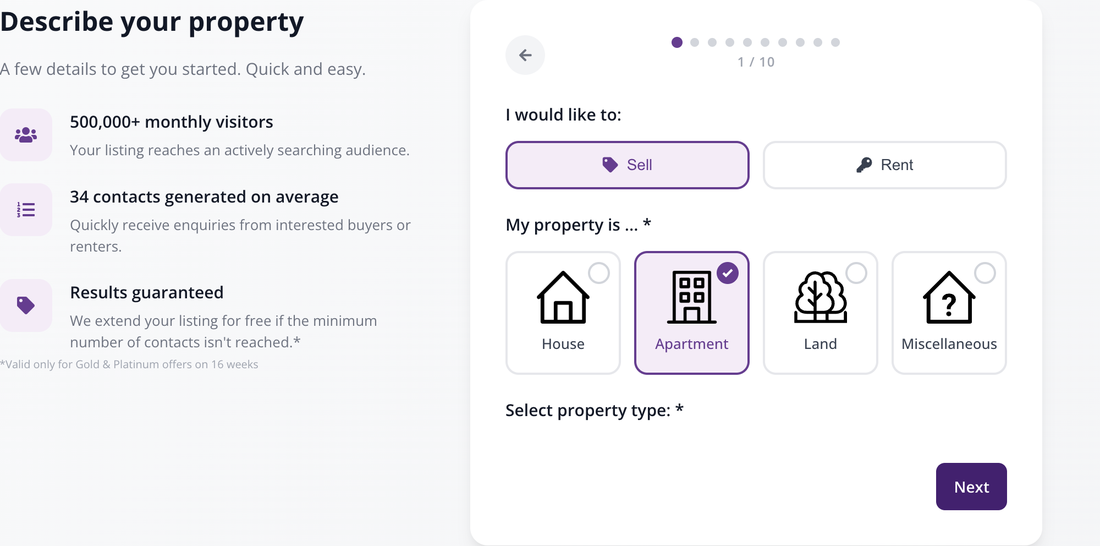
Step 1: sell or rent, then the property category and type.
3. Step 4: the photos
This is the step that weighs most on the success of your listing. At least one photo is mandatory, thirty-two at most, and Immovlan recommends at least eight.
Click the drop zone or drag your files onto it. Once uploaded, reorder them with your mouse: the first photo is the one that appears in the search results. You can also add a video or a virtual visit, which is optional.
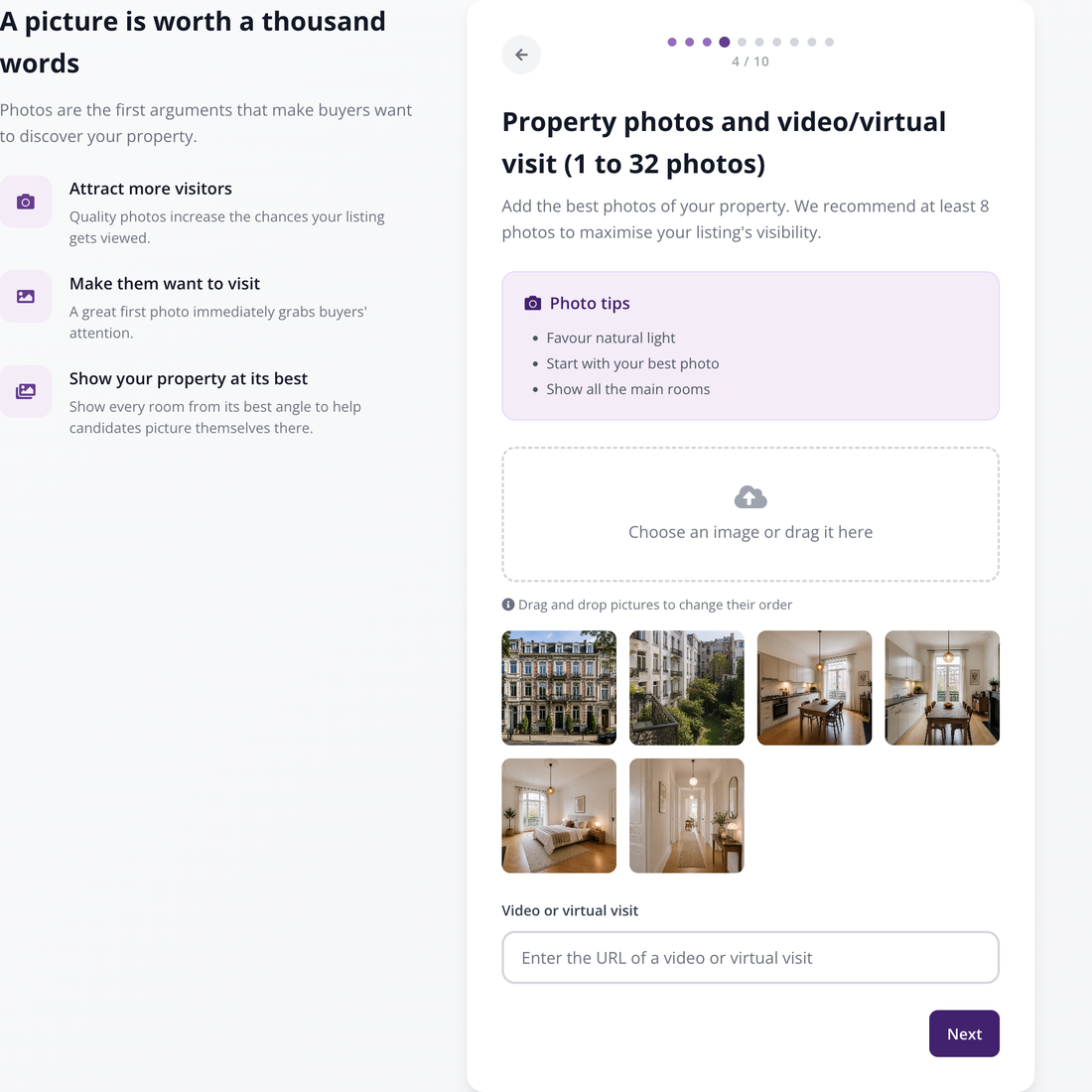
Step 4: add your photos, then put the most telling one first.
4. Steps 5 to 7: the details, the description and the energy performance
Three steps to describe the property. Only two fields are mandatory there, but it is the others that make you appear in searches.
- Step 5 — the livable surface and the number of bedrooms are mandatory. Bathrooms, garage, garden and terrace are optional: complete them, as these are widely used search criteria.
- Step 6 — the free description, the number of facades, the construction year, the state of the property. No mandatory field.
- Step 7 — the energy performance. No field is mandatory on screen, but the EPC certificate is legally mandatory when selling or letting in Belgium. Enter the primary energy consumption: the EPC badge is calculated automatically and displayed on your listing.
5. Step 8: your contact details
Your contact email is mandatory. It is never displayed publicly: it is only used to pass on enquiries from prospective buyers or tenants.
The phone number is optional — but it conditions the results guarantee. If you plan to take out a Gold or Platinum package over 16 weeks, enter it here.
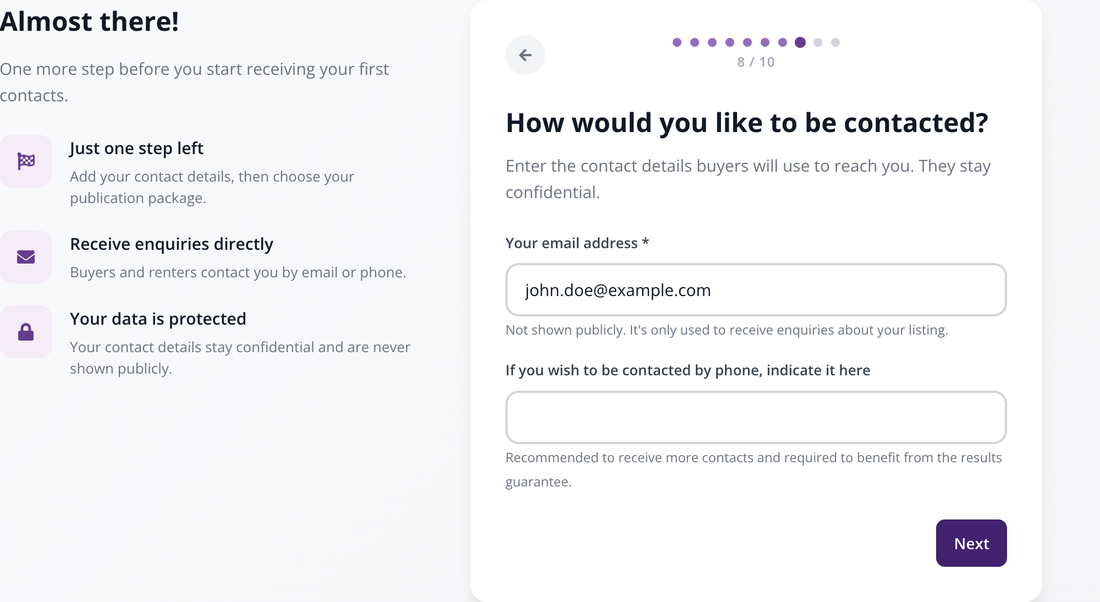
Step 8: the address that will receive the enquiries, and the phone number required for the guarantee.
6. Step 9: the duration and the package
You first choose a publication duration — 8, 12 or 16 weeks — then a package: Silver, Gold or Platinum. The more complete the package, the more your listing is highlighted in the results.
The price depends on the duration + package combination: it is shown on each card at the moment you choose. The details of the packages are given in the article on the rates for publishing a listing.
This is also where the conditions of the results guarantee are displayed, reserved for Gold and Platinum packages over 16 weeks.
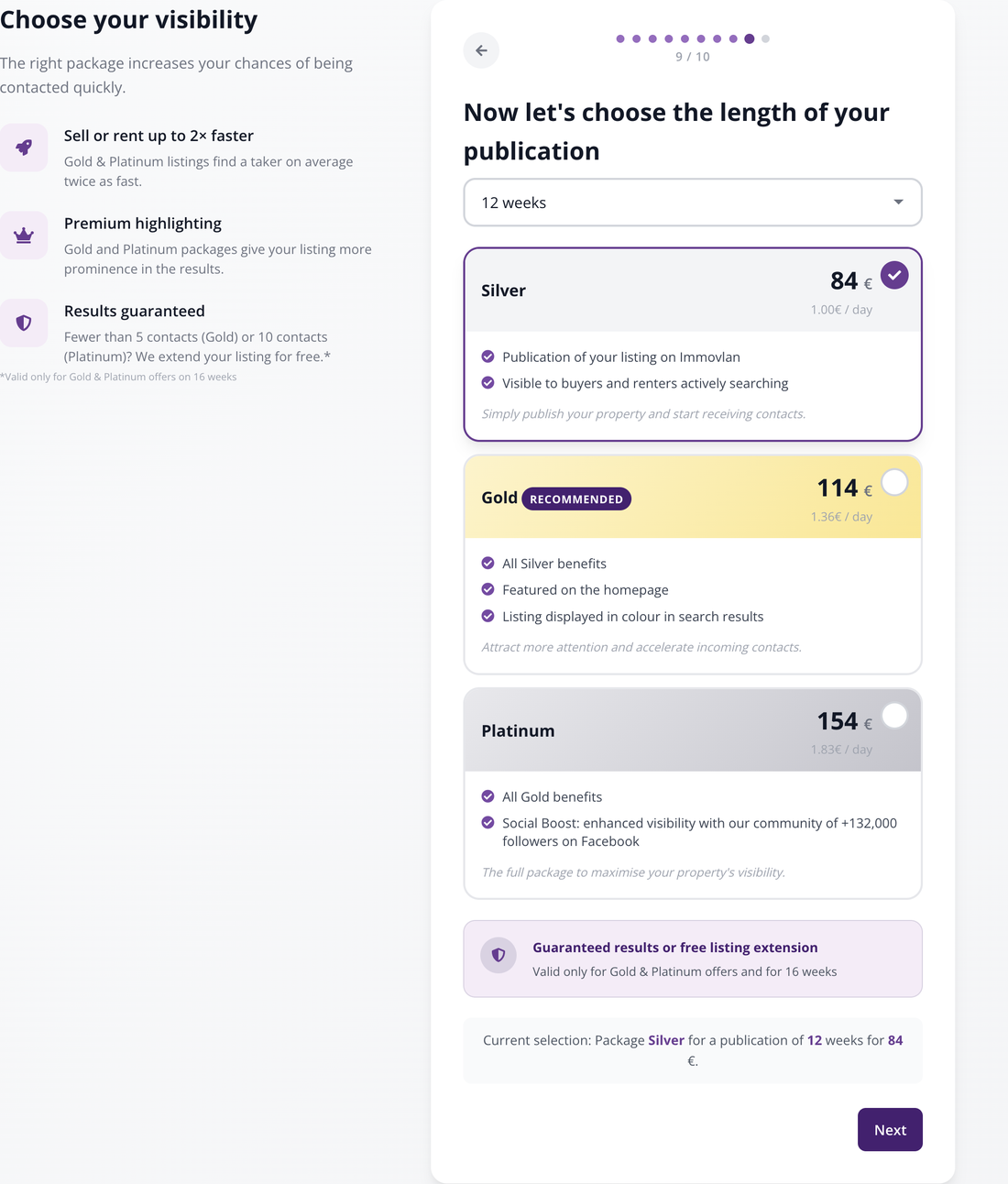
Step 9: the duration, then the package. The prices change with the duration.
7. Step 10: the payment
Last step: tick "I accept the privacy policy of Immovlan.be as well as the general conditions concerning the publication of my advertisement.", choose your payment method — credit card, Bancontact or mobile wallet — and confirm.
Your listing goes live as soon as the payment is confirmed. You receive a confirmation email, and the transaction remains available in "My transactions".
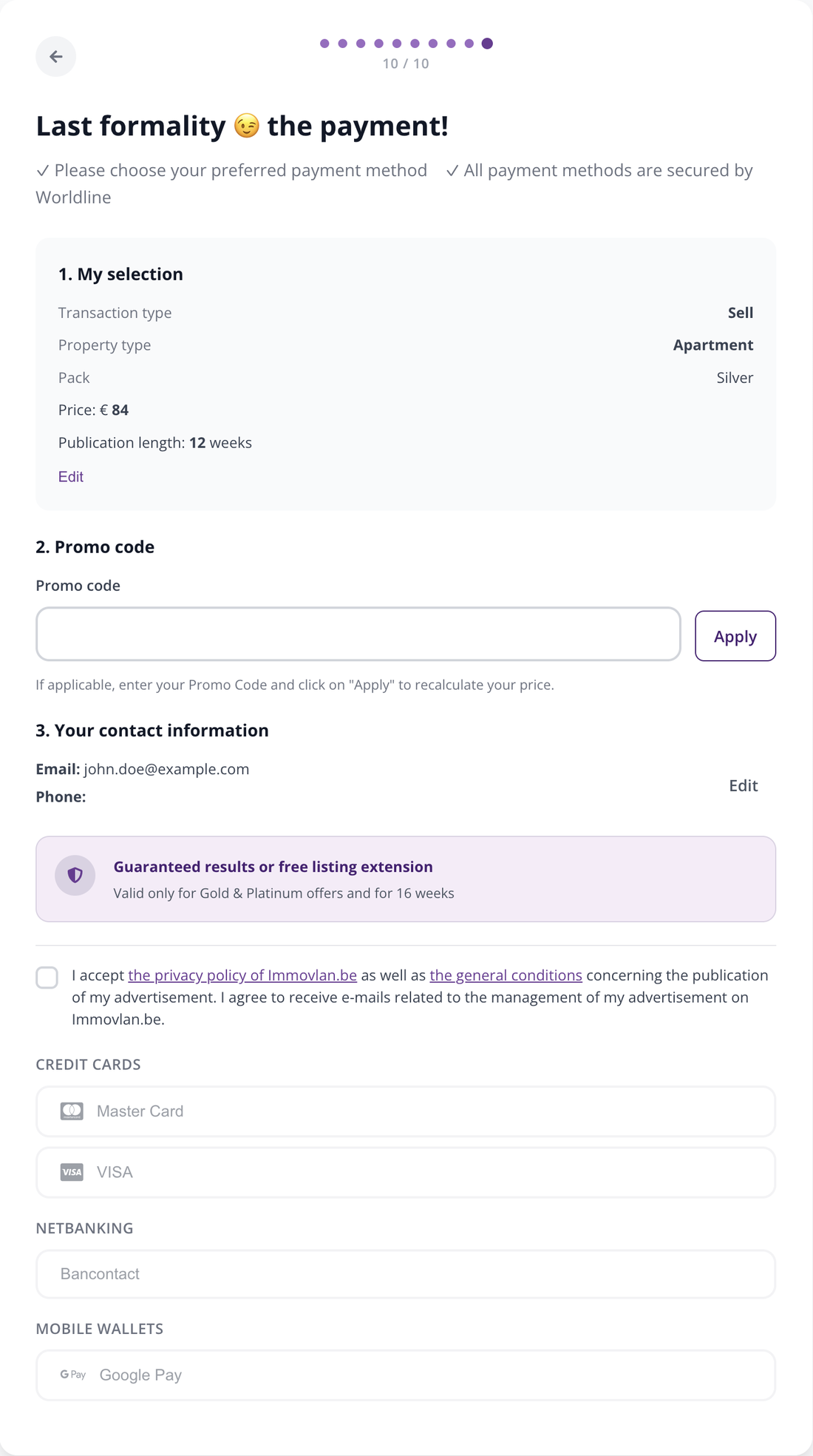
Step 10: the general conditions and the payment method.
8. After publication
Your listing lives in "My properties", in your My Immovlan area. There you will find:
- the status of the listing — Published, Not published, Sold, Rented, Option — which you can change in two clicks;
- the viewing statistics;
- the contacts received;
- the "Update" button to correct or complete your listing, at any time and at no extra cost.
9. In summary: the ten steps
| Step | What you do there | Mandatory? |
|---|---|---|
| 1/10 | Sell or rent, property category and type | Yes |
| 2/10 | Town or postal code, and street | Yes |
| 3/10 | Selling price or rent | Yes |
| 4/10 | Photos (1 minimum, 8 recommended, 32 maximum) | Yes |
| 5/10 | Livable surface and number of bedrooms | Yes |
| 6/10 | Description, facades, year, state of the property | No |
| 7/10 | Energy performance (EPC) | No |
| 8/10 | Contact email (and phone number for the guarantee) | Yes |
| 9/10 | Publication duration and package | Yes |
| 10/10 | General conditions and payment | Yes |